Generating a key
To generate a private key, navigate to the Keys module in the top menu bar (for a global private key) or to the SECURITY > Keys module of a domain (for a domain-level private key). (See Key Management).
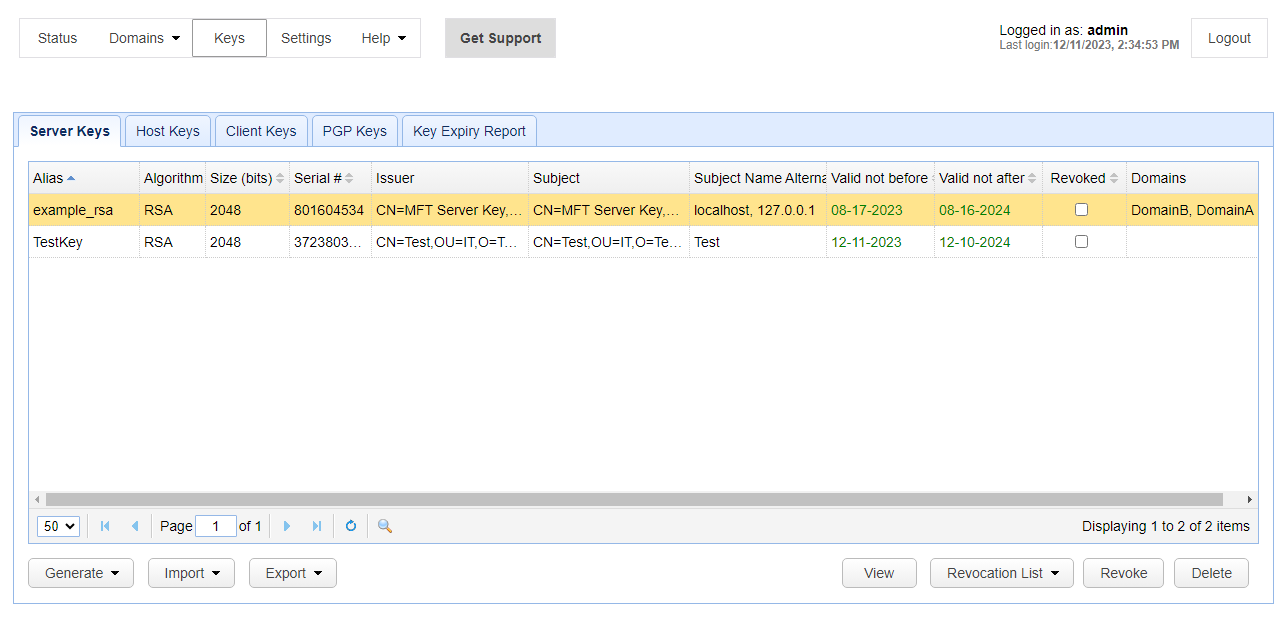
Select the Server Keys tab and click on the Generate > Generate Key button. The Generate Server Key dialog is displayed.
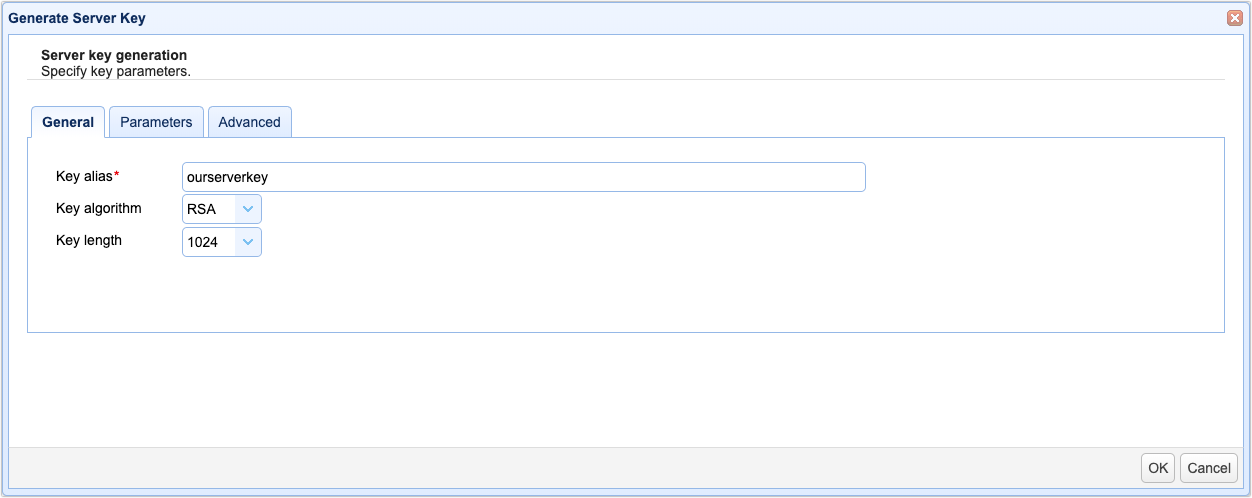
In the General tab, enter a desired Key alias. This alias will be used to refer to this particular server key in this MFT Server environment.
Also specify the following:
Key algorithm - The algorithm used in generating this key. Valid options are RSA, DSA, EC and ED.
Key length - The length of encryption key, applicable when RSA or DSA is the selected key algorithm. Length options vary depending on the algorithm selected. For example, RSA supports key lengths of 1024, 2048, 3072 and 4096.
Key curve - The curve of the key, applicable when EC or ED is the selected key algorithm. The curve values you can choose from depend on which algorithm you are configuring.
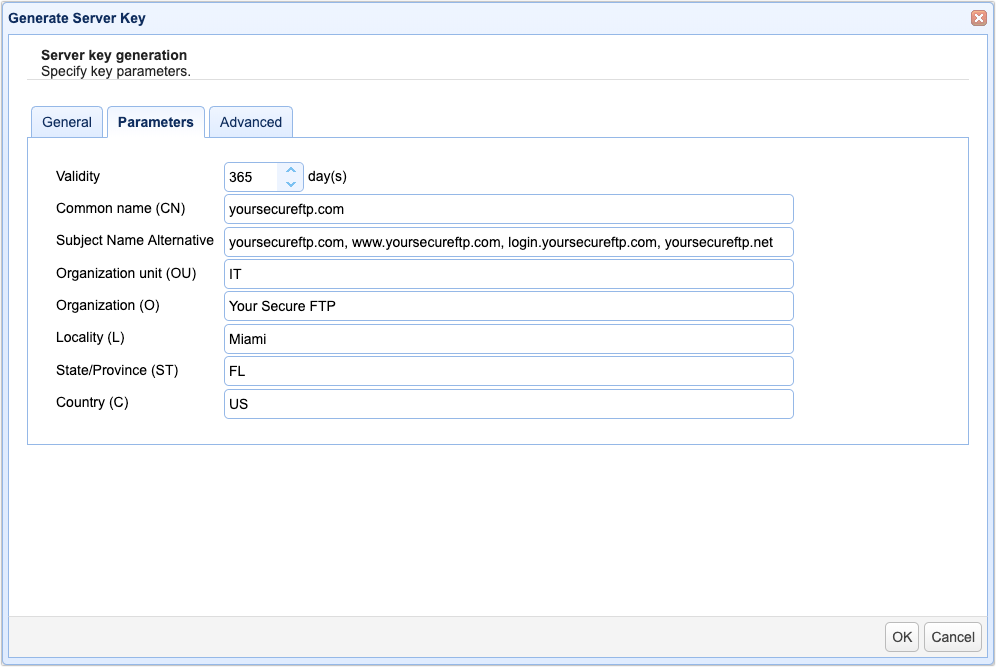
In the Parameters tab, specify the following:
Validity - The number of days this key will be valid.
Common name (CN) - The name you wish to assign this key. Typically the domain name this key will serve e.g. ftp.mydomain.com
Note: Some browsers have already deprecated the CN and recognize the Subject Alternative Name (SAN) instead.
Subject Name Alternative or Subject Alternative Name (SAN) - This host's domain name or, if you're generating this key for a multi-domain certificate, a comma-separated list of domains (as shown in the image below).
Organizational unit - The unit within your organization that this key will be used for e.g. IT.
Organization - Your organization name.
Locality - Your city.
State/Province - Your state or province.
Country - Your 2 character country code e.g. "US".
Advanced
Key usage - Key usage parameter for certificate associated with server key.
Extended key usage - Extended key usage parameter for certificate associated with server key.
CRL URL - Certificate revocation list URL.
Sign with - Sign certificate with specified key.